

Stackhouse vs. Bay Photo is not a simple good-lab or bad-lab choice. Both serve serious image makers, but they are built around different strengths. The better fit depends on what you print, how much help you want, which process you prefer, and how the finished work will be sold or displayed.
Here is the short answer: Stackhouse is a focused choice for artists and photographers who want archival pigment printing, clear product guidance, paper samples, and packaged print paths. Bay Photo is a strong professional-lab choice for photographers who want silver-halide photo prints and a very broad wall-display catalog. Start with the product you actually need, then compare the same file, size, surface, review setting, shipping speed, and total price.
Stackhouse vs. Bay Photo: The Quick Answer
Choose Stackhouse when your main job is reproducing artwork, building a paper or canvas print line, preparing prints for resale, or working through paper, crop, border, and packaging choices with a focused print shop.
Choose Bay Photo when your job centers on traditional photographic prints, color-corrected lab output, or a wide menu of finished wall products such as metal, acrylic, wood, framed pieces, and other display systems.
A Clear Disclosure About This Comparison
This article is published by The Stackhouse Printery. Bay Photo is a competitor and is not connected with Stackhouse. That makes fairness important. We use current public information from both companies and separate verified facts from opinion.
We also have a matched-cart and support study in progress. It uses the same three color-managed files, the same 8 x 10 crop, loose prints, and Photo Rag or the closest listed equivalent at each lab. As of the research snapshot behind this article, the carts were staged but no competitor order had been submitted. That means the study can support ordering-flow observations, but it can't yet support a print-quality or customer-service winner.
Prices, shipping, product menus, and default settings can change. Recheck them before publishing or placing a large order.
What Each Print Lab Is Built to Do
Stackhouse presents itself as a print shop for artists, photographers, studios, and creators. Its main paths include giclee fine art prints, professional photo prints, canvas, mounted prints, packaged prints, media samples, and artwork scanning. The Stackhouse printing guide starts with the final use, then walks through print type, file setup, upload, crop, surface, and ordering.
Bay Photo describes itself as a professional lab trusted by photographers and artists since 1976. Its public catalog covers photographic prints, fine art prints, matted prints, metal, acrylic, canvas, framed prints, wood, books, albums, cards, gifts, and many display systems. That wider catalog is useful when one lab needs to fill many photography and wall-display jobs.
Compare the Printing Process, Not Just the Paper Name
A paper name doesn't tell you the whole process. Two labs can offer a surface called Photo Rag and still use different equipment, ink or exposure systems, correction settings, profiles, and production checks.
Stackhouse describes its work as calibrated pigment inkjet printing across fine art, photo, and canvas products. That path is a natural fit for artwork reproduction, textured fine art papers, and edition work where the artist wants one clear pigment-print workflow.
Bay Photo separates its photographic and fine art paths. Its photographic prints use a silver-halide process on professional photo papers. Its fine art prints use archival inks on a group of fine art papers. If you want to compare the two companies fairly, confirm that you are comparing the same kind of product. A silver-halide photo print should not be treated as the same job as a pigment print on cotton rag.
Paper Samples and Test Prints Matter
Screens can't show paper texture, white point, thickness, gloss, or how deep shadows feel in normal room light. Samples make those differences real.
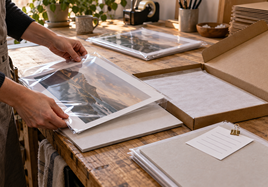
Stackhouse offers a free media sample set for comparing paper and canvas surfaces before ordering custom artwork. Bay Photo points customers to swatch books and product-specific sample packs. Both approaches can help, but a stock sample is not a proof of your own file.
For a color-critical edition, use samples to narrow the surface, then order the same prepared image from each lab. Review the prints under the same neutral light. Check paper tone, shadow separation, skin tones, saturated colors, crop, borders, and fine detail. Save the settings with the approved print.
Product Range: Focused Paths vs. a Broad Display Catalog
Stackhouse keeps the main decision close to the needs of working artists and photographers: loose fine art and photo prints, canvas, mounted work, gallery wraps, packaged prints, mini prints, and artwork scanning. Its packaged-print line is especially relevant for art fairs, shops, galleries, and customer delivery.
Bay Photo offers a broader display catalog. Its public product list includes metal, acrylic, wood, framed prints, gallery boards, wall clusters, albums, books, cards, and gifts in addition to photographic, fine art, canvas, and matted prints.
More options are useful when they solve the job. They can also add decision work. Start with the finished use. If you need a paper edition packed for resale, compare that exact path. If you need a large metal or acrylic wall piece, compare labs that make that exact product.
File Review and Color Correction Are Different Choices
Ask what happens to the file after upload. A review can mean a basic production check, a correction service, or both. Those are not the same promise.
Stackhouse says its production team reviews files for resolution, color, and alignment. Its order flow also shows the crop before checkout so the customer can confirm how the image fits the chosen size.
Bay Photo offers Full Color Correction for photographic prints and also provides a no-correction path for customers who manage their own color. In our staged matched cart, Bay Photo's Review My Order setting was on. That's useful ordering evidence, but the final article still needs a fresh check of what that setting covers on the selected product.
If you already soft-proof and control color, confirm whether correction is off. If you want the lab to adjust density or color, confirm that it is on. Never compare two prints while one lab is correcting the file and the other is printing it as supplied without noting the difference.
Compare the Ordering Workflow
Stackhouse uses a browser-based product builder. You choose the print family, upload the file, select the size and surface, review the crop, add borders or presentation choices, and check out. This can feel direct when the order is built around one artwork and one final use.
Bay Photo offers browser ordering and Bay ROES. Its online app includes upload, crop, rotation, filters, option selection, and checkout for a growing set of products. ROES remains useful for customers who prefer a lab ordering application and larger professional workflows.
The best workflow is the one your team can repeat without hidden choices. Before moving a client or edition workflow, save the file name, product, size, surface, correction choice, crop, shipping method, and any packaging details.
Compare the Whole Basket, Not One Headline Price
Use current Stackhouse product pricing and Bay Photo's live configurator on the same day. Match the image size, outside size, paper, border, quantity, correction setting, mounting, coating, packaging, and shipping speed. Then compare the product subtotal, shipping, tax, and any required crate or handling fee.
Our staged competitor audit showed why this matters. The labs used different default processing choices, shipping prices, tax treatment, and review settings. A low line price can become a different total at checkout. A higher line price may include a service that another cart treats as optional.
How We Would Test Both Labs Fairly
Use the same source file, crop, size, and closest matching surface. Record every default setting before changing it. Don't add sharpening, optimization, or color correction at one lab unless the same job calls for it at the other.
When the prints arrive, photograph the packaging before opening it. Check physical condition first. Then review both prints under the same light and let your eyes adapt. Write observations before looking at the lab name if a blind comparison is practical.
If a real difference is hard to explain, contact support with a genuine question. Share the file setup, display calibration, viewing light, product, paper, and what you see. Ask the lab to diagnose the result. Don't invent a defect, ask for an unwarranted remake, or publish a support outcome that did not happen.
Choose Stackhouse When These Needs Matter Most
Stackhouse is likely the better starting point when you are an artist reproducing paintings, drawings, mixed media, or digital art; when you want a focused pigment-print workflow; when you need help choosing paper, border, crop, or packaging; or when the finished print will be sold through fairs, shops, galleries, or direct customer delivery.
It also makes sense when you want a free surface sample path, artist-ready packaged print options, or artwork scanning connected to the print workflow.
Choose Bay Photo When These Needs Matter Most
Bay Photo is likely the better starting point when you want traditional silver-halide photographic prints, a broad professional photography lab, or a finished display product that Stackhouse doesn't currently offer, such as metal, acrylic, wood, or one of Bay Photo's many framing and wall systems.
The broad catalog is the advantage. The tradeoff is that you still need to match the exact product and setting to your job.
Test Both Before Moving a Full Edition
If the decision is close, don't move a whole edition because of a website claim or one price. Order the same file from both labs. Keep the first test small. Compare the finished pieces under the same conditions and record what changed.
Then test the full customer experience: ordering, communication, packaging, print condition, color, support, and reorder clarity. One beautiful sample is useful. A repeatable process is more useful.
Keep the Lab Comparison Current
Print products, correction settings, shipping prices, and ordering tools change. Rebuild the matched basket and open every cited first-party page before publishing. Keep dated notes for the file, crop, surface, settings, subtotal, shipping, and tax. That record makes the comparison useful without pretending a one-day snapshot is permanent.
Final Takeaway
Stackhouse vs. Bay Photo comes down to the job. Stackhouse offers a focused artist and photographer workflow around archival pigment printing, samples, guidance, and resale-ready presentation. Bay Photo offers traditional photographic printing and a much wider finished-display catalog. Compare the same product, file, settings, and full checkout total, then test both when the work or customer relationship matters enough to remove the guesswork.
FAQ
Is Stackhouse better than Bay Photo?
Not for every order. Stackhouse is a focused fit for artists and photographers who want archival pigment printing, packaged print options, samples, and direct print guidance. Bay Photo may fit photographers who want silver-halide photo prints or a much wider wall-display catalog.
How should I compare prices between print labs?
Build the same basket on the same day. Match the file, finished size, paper, border, correction setting, quantity, packaging, shipping speed, and tax before comparing the total.
Should I test both labs before moving an edition?
Yes, when color, paper feel, finish, or repeatability matters. Use the same prepared file and judge both prints under the same light before moving a full edition or client workflow.