

Limited edition print labels work best when each piece has one clear identity. The mark on the print, the label with the package, and your private inventory record should all point to the same artwork, size, and edition number.
My advice is simple. Keep the artwork front quiet. Put only the marks that belong with the art there. Move price, gallery, customer, and stock details to a removable label or separate record. Then use one short inventory code to connect everything.
Build One System for Limited Edition Print Labels
Before the first print sells, decide what counts as the edition. Is one artwork limited across every size, or does each size have its own edition? Either approach can be tracked, but changing the rule later creates confusion.
Write the rule in one sentence. For example: ‘Each paper size is a separate edition of 25.’ Save that note with the approved print file and order details. Use the same rule for direct sales, gallery stock, and replacements.
Keep the Print Front Simple
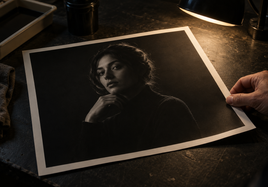
The front should not become an inventory sheet. If the print has a white border, you may choose to add the edition number, title, and signature in a consistent place. If the image runs to the edge, use the back or a separate certificate instead of squeezing marks into the art.
Plan that space before ordering. The Stackhouse print size, border, and crop guide separates image size from final paper size. That matters when a border must leave room for signing or numbering without changing the artwork crop.
Use the Edition Number the Same Way Every Time
A mark such as 3/25 identifies one print within a planned edition of 25. Pick one format and keep it consistent. Don't switch between 03/25, No. 3 of 25, and 3/25 unless there is a clear reason.
Record the number as soon as the print is assigned. Don't rely on memory after an art fair or gallery delivery. If a print is damaged before sale, note what happened in the record so the number doesn't quietly appear twice.
Put Full Details on the Back Label
The back label can carry the full artwork title, artist name, year, image size, final paper size, paper, edition number, and inventory code. Keep the type easy to read. A gallery or buyer should not have to guess which record belongs to the print.
Don't use a permanent shop label for details that may change. Price, gallery name, consignment date, and customer information belong on a removable label, sleeve insert, or separate sheet. That keeps changing business details away from the finished artwork.
Make a Short Inventory Code
An inventory code should help you find the right record without turning into a sentence. A simple pattern can combine the artwork code, size, and copy number. For example, RIVER-0810-03 could point to the third 8 x 10 print for an artwork called River.
The code doesn't need to explain every choice. Its job is to connect the physical print to the file and inventory row where the full details live. Put the same code on the back label, sleeve insert, gallery sheet, and digital record.
Record the Exact Print Recipe
Limited editions are easier to manage when the label record includes the exact print setup. Save the approved file name, image size, final paper size, crop, border, paper, and order date. If the piece uses giclee fine art prints, record the exact paper surface rather than writing only ‘fine art paper.’
Keep one approved physical print as a reference when color and edition consistency matter. The label tells you what was ordered. The reference print shows you what the approved result looked like in real light.
Keep Package Labels Removable
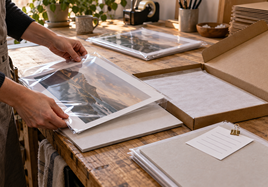
A protected print may need a title card, price, barcode, gallery code, or care insert. Keep those items with the package, not stuck to the printed surface. The packaged prints guide helps artists compare protected presentation options before choosing where an insert or removable label should sit.
Check that the customer can remove sales information without touching or bending the print. If a gallery adds its own label, ask where it will go and which code it needs from you.
Match the Gallery Sheet to the Physical Print
For consignment or a gallery delivery, use one row for each physical print. Include the inventory code, artwork title, size, paper, edition number, retail price, gallery split or agreed payout, date delivered, and current status.
Before handing over the work, read each print label against the sheet. Count every piece. When something sells or returns, update that row. This small check is much easier than trying to rebuild the history months later.
Final Takeaway
Limited edition print labels should connect one physical print to one clear record. Keep the front simple, put full details on the back or in the package, use one inventory code, and record the exact print recipe. Then match every gallery or sales sheet to the same code before the work leaves your hands.
FAQ
What should be written on a limited edition print?
Keep the front simple. Artists often use a signature, edition number, and short title when the border allows it. Keep the full title, year, size, paper, price, and inventory code in the back label or separate record.
Should the edition number go on the print or the package?
Put the edition mark on the print only when that's part of your chosen signing method. Put customer, price, gallery, and inventory details on a removable label, insert, or record so they don't become part of the artwork.
Can one artwork use the same edition across several sizes?
Decide that rule before the first sale and write it down. If sizes belong to separate editions, give each size its own count and inventory code. The important part is using the same rule for every buyer and gallery.